

The biggest value is really being able to pinpoint the revenue generated from a campaign. I didn’t get that with Mailchimp.
Liz Ramirez
Marketing Manager, Gold Eagle Services

Quickbooks online & desktop integration
Keep your accounting and reconciliation efficient by syncing with QuickBooks and avoiding double entry.
Works with what you’ve got
Whether you’re using QuickBooks Online or Desktop, Workiz works seamlessly with it to keep your books up to date and free from manual errors.
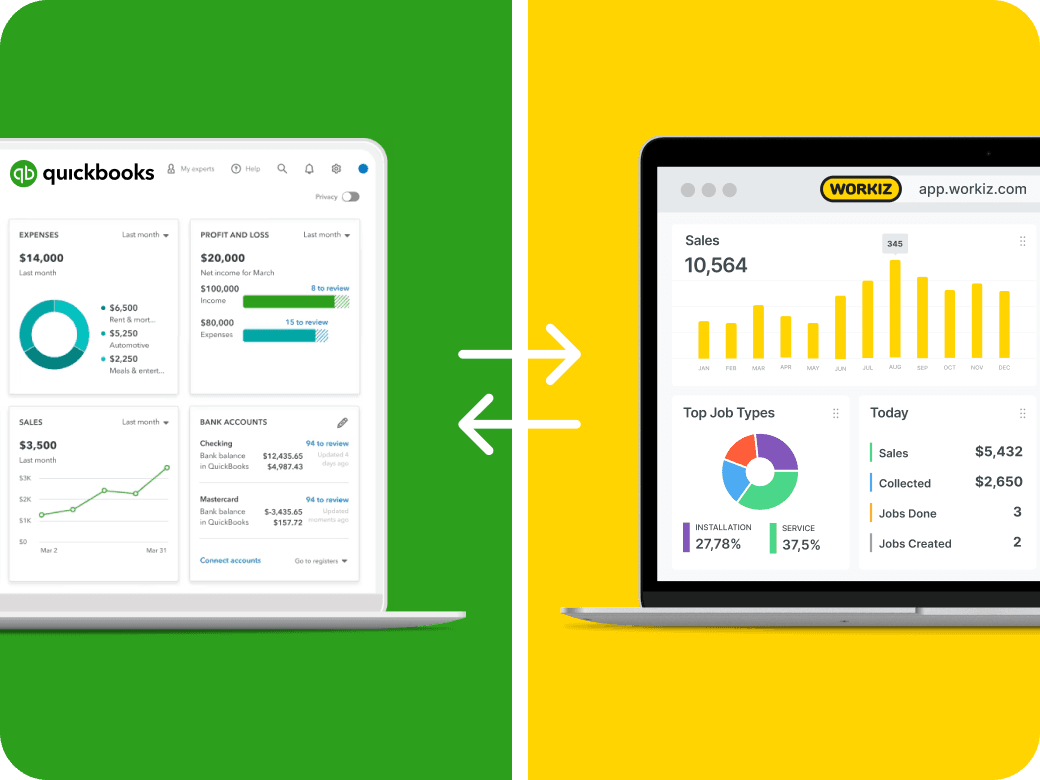
Quick & easy integration
It takes just minutes to import your existing QuickBooks data into Workiz. Once you’re set up, data will automatically continue to flow one-way, from Workiz to QuickBooks.
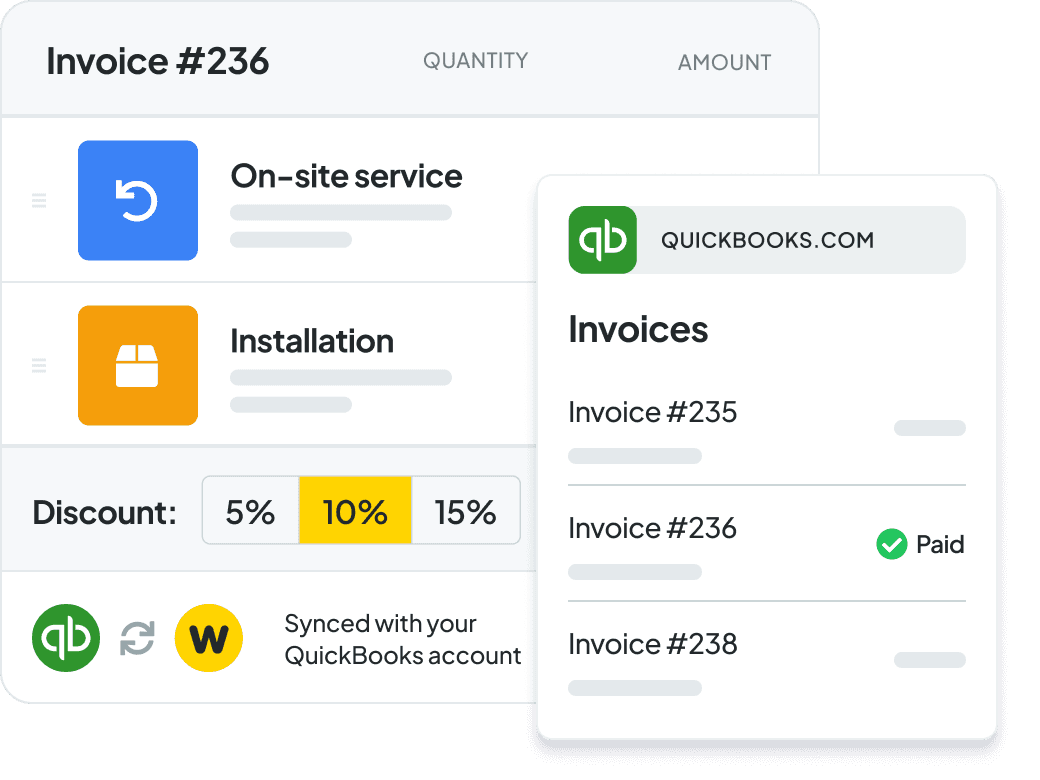
No more double entries
Every relevant activity in Workiz updates your books behind the scenes. From client info & payments, to expense reports, your QuickBooks stays accurate without you lifting a finger.
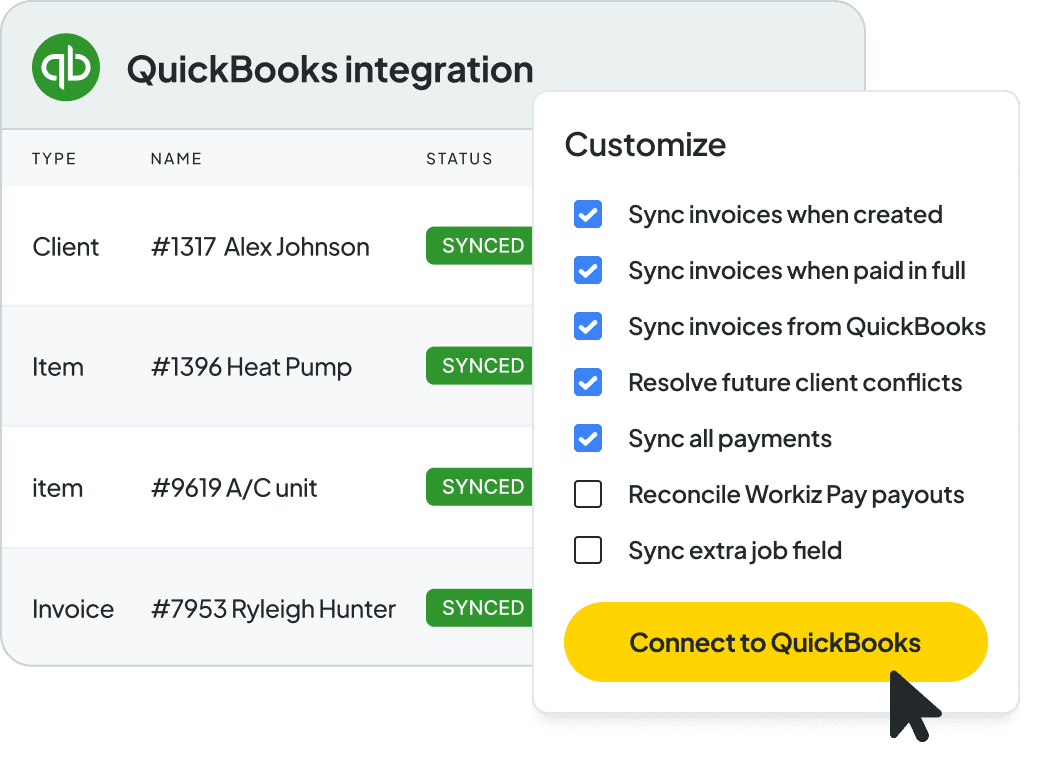
Stay in control
Not everything needs to hit your books right away. Workiz lets you decide which invoices, payments, or clients sync to QuickBooks, and when, so accounting stays on your terms.
The biggest value is really being able to pinpoint the revenue generated from a campaign. I didn’t get that with Mailchimp.
Liz Ramirez
Marketing Manager, Gold Eagle Services
We chose Workiz because the UI is simple & easy to learn.
Kristen Zinzi
Administrator at County Comfort Home Solutions

Workiz streamlined our business with digital estimates, invoices, and phone integration.
Olga White
Manager at Instafix Appliance Repair

I switched to Workiz from Service Titan in summer 2023 and have loved it ever since.
Jed Green
Co-owner of NexLvl Services
Workiz simplified scheduling and billing, boosting our efficiency.
Brian Harding
Élecproménager
We are getting so many 5-star reviews and more business!
Mike Bryant
CEO at Plumbing 365

Workiz gives us everything we need to run our business seamlessly.
Hector Perez
Fidelis Repairs
Workiz makes running a business seamless—no more paperwork, easy payments, and automated customer follow-ups!
Brian Orchard
Owner at Everett Air

Since using Workiz, we’ve been able to take on more jobs, stay organized, and keep our customers happier than ever.
Filipe Souza
Owner at SmarTech Solutions

With Workiz, our growth skyrocketed over 300% — everything’s faster and easier now.
Rafael Roa
Appliances USA Pro
Workiz keeps our business running smooth—faster estimates, happy customers, and techs who get more done.
Dan and Wyatt Johnson
Einstein Pros

Workiz keeps our team efficient, organized, and ready to grow without anything slipping through the cracks.
Mike Gidich
Owner at Honey Dudes Handyman

Workiz is powerful yet simple—helping us save time, win more jobs, and stand out from the competition.
Keating Kuhn
Gold Eagle Services

Workiz helps us ensure our customers get a great experience from the first call to the final invoice.
Lior Mizrahi
Same Day Garage Door Services & Repair

The biggest value is really being able to pinpoint the revenue generated from a campaign. I didn’t get that with Mailchimp.
Liz Ramirez
Marketing Manager, Gold Eagle Services
We chose Workiz because the UI is simple & easy to learn.
Kristen Zinzi
Administrator at County Comfort Home Solutions
Workiz streamlined our business with digital estimates, invoices, and phone integration.
Olga White
Manager at Instafix Appliance Repair
I switched to Workiz from Service Titan in summer 2023 and have loved it ever since.
Jed Green
Co-owner of NexLvl Services
Workiz simplified scheduling and billing, boosting our efficiency.
Brian Harding
Élecproménager
We are getting so many 5-star reviews and more business!
Mike Bryant
CEO at Plumbing 365
Workiz gives us everything we need to run our business seamlessly.
Hector Perez
Fidelis Repairs
Workiz makes running a business seamless—no more paperwork, easy payments, and automated customer follow-ups!
Brian Orchard
Owner at Everett Air
Since using Workiz, we’ve been able to take on more jobs, stay organized, and keep our customers happier than ever.
Filipe Souza
Owner at SmarTech Solutions
With Workiz, our growth skyrocketed over 300% — everything’s faster and easier now.
Rafael Roa
Appliances USA Pro
Workiz keeps our business running smooth—faster estimates, happy customers, and techs who get more done.
Dan and Wyatt Johnson
Einstein Pros
Workiz keeps our team efficient, organized, and ready to grow without anything slipping through the cracks.
Mike Gidich
Owner at Honey Dudes Handyman
Workiz is powerful yet simple—helping us save time, win more jobs, and stand out from the competition.
Keating Kuhn
Gold Eagle Services
Workiz helps us ensure our customers get a great experience from the first call to the final invoice.
Lior Mizrahi
Same Day Garage Door Services & Repair
Customize Workiz to grow your business. Schedule jobs, dispatch, invoice and get paid all in one place.
Your AI receptionist that answers calls, emails, and texts — and dispatches the right tech for the job.
Email, SMS, and reputation management in one place. Turn the client data you already have into your next batch of jobs.
Calls, texts, and AI-powered insights — all from one place.
Smart scheduling and dispatching that keeps your team booked and your day running on time.
Professional invoices in a single click. Get paid faster, with less back and forth.
Automated responses to leads, jobs, estimates, and reviews — boosting productivity by 40%.
Workiz’s QuickBooks integration syncs your invoices, payments, expenses, taxes, and client details between the two platforms. It ensures your accounting stays accurate and up-to-date without double entry or manual updates.
Yes. Workiz integrates with QuickBooks Online and QuickBooks Desktop.
The integration automatically syncs:
Invoices created in Workiz
Payments received through Workiz Pay
Consumer financing transactions
Taxes and tax exempt and totals
Transactions made with Workiz Expense Cards
Customer information
You can also control whether to sync automatically or manually.
It saves time, eliminates duplicate data entry, and reduces the risk of human error. Your office staff and bookkeepers should focus on operations, not data entry.
Yes.
Workiz links every invoice and payment to QuickBooks so your financial records stay organized.
It makes their life easier.
All of your records will be clean, consistent, and already in QuickBooks—so tax time or monthly reconciliation is faster and more accurate.
Go to the Workiz Feature Center > QuickBooks and follow the prompts to securely link your QuickBooks Online account.
Our support team can help if you need assistance.
Yes, of course!
Workiz uses encrypted, secure connections to sync data between platforms and does not store your QuickBooks login information.
If you don’t yet have a QuickBooks account, you can even get a discount by signing up through Workiz!